

Prerequisites
- Node.js 18+
- React Native 0.77+ (CLI or Expo bare workflow)
- iOS tooling: macOS with Xcode 14+, CocoaPods, iOS 12+ simulator/device
- Android tooling: Android Studio with SDK 33+, Android 5.0+ device/emulator
- An active CometChat app (App ID, Auth Key, and Region)
Why Choose CometChat Builder?
- Builder-first workflow with QR-based configs — no manual toggling per environment.
- Native theme fidelity: brand colors, typography, and layout update instantly.
- Feature governance baked in: chat, calls, engagement, and layouts stay in sync with UI Kit.
- Works with the React Native UI Kit, so you focus on product logic instead of wiring UI.
Builder Highlights
- QR code scanning to import/export complete experiences.
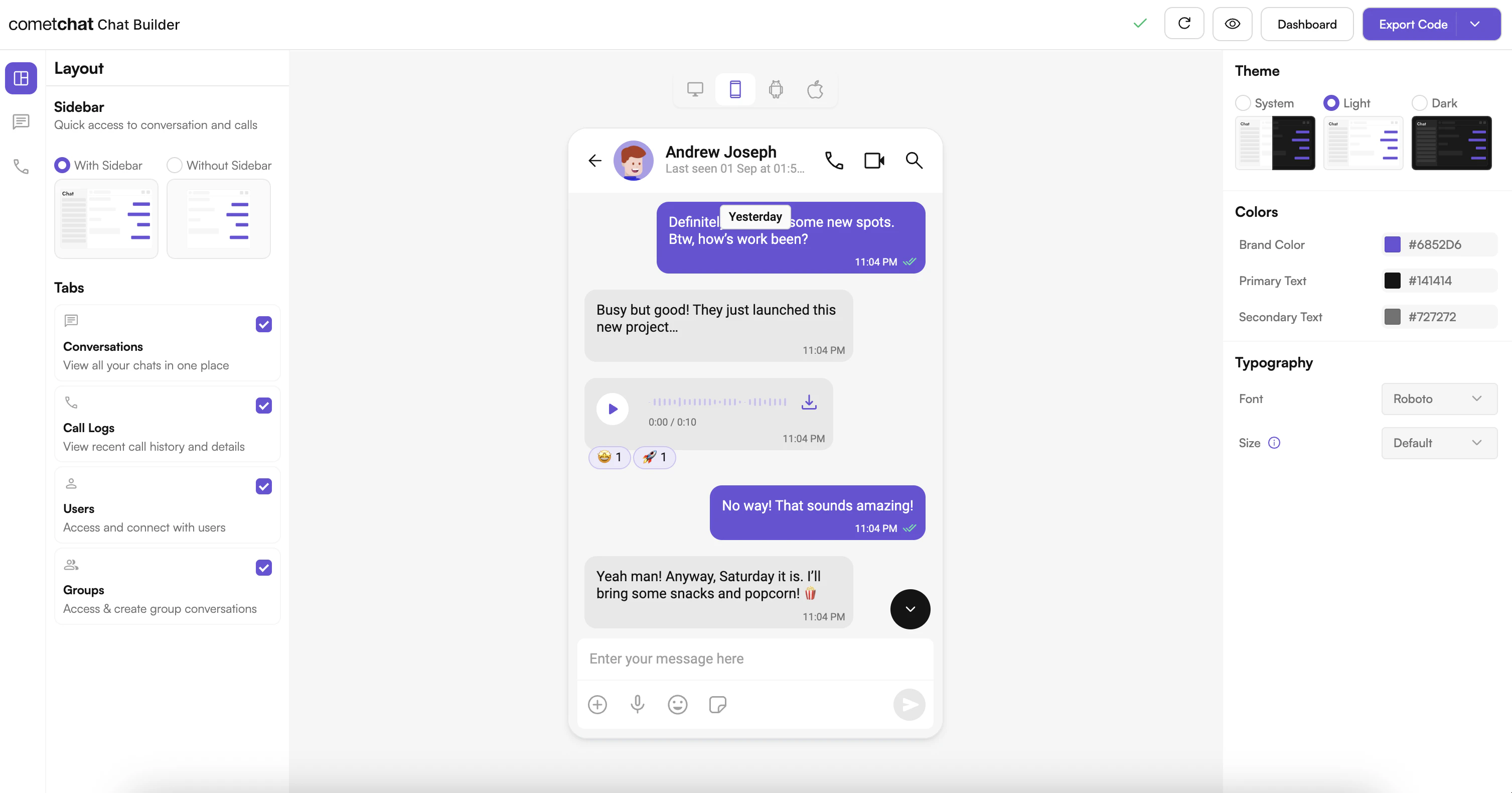
- Dynamic theming for light/dark/system modes.
- Feature toggles for messaging, calling, engagement, and layout choices (tabs, sidebar, chat type).
- Real-time updates and persistent settings via AsyncStorage.
- Shared configuration schema that your React Native app and the Builder sample project both understand.
Setup Paths
Option 1: Run the Builder sample app
Install the React Native sample, connect your CometChat credentials, and preview configurations end-to-end.
Option 2: Drop Builder settings into an existing app
Copy the config store, hydrate UI Kit themes, and honor feature toggles inside your production app.
UI Preview
Try It Locally
React Native Builder Source
Clone the sample, run it on iOS/Android, and experiment with QR-based configurations.
Integration Snapshot
A typical workflow:- Launch the Builder sample app and log in with your CometChat credentials.
- Scan or import a configuration (JSON or QR) to tune chat, calls, layout, and styling.
- Copy the generated
config.jsonand Zustand store into your React Native project. - Wrap your app with
CometChatThemeProviderusing the Builder-provided palette and typography. - Toggle UI Kit components or features at runtime based on the stored settings.
Next Steps for Developers
- Get your environment ready — Integration guide.
- Connect CometChat UI Kit — React Native UI Kit overview.
- Customize styling — Theme introduction.
- Explore advanced components and APIs — Methods & APIs.
Helpful Resources
React Native UI Kit Docs
Official UI Kit documentation with component APIs, theming, and guides.
Support Portal
Reach CometChat support for troubleshooting and production issues.
Community & Issues
File bugs, request features, or learn from community fixes.
Need Help?
- Developer Community: http://community.cometchat.com/
- Dashboard & Live Support: https://app.cometchat.com
- UI Kit questions: https://www.cometchat.com/docs/ui-kit/react-native/5.0/getting-started